Alavu · macOS
Your disk is full. Something is responsible.
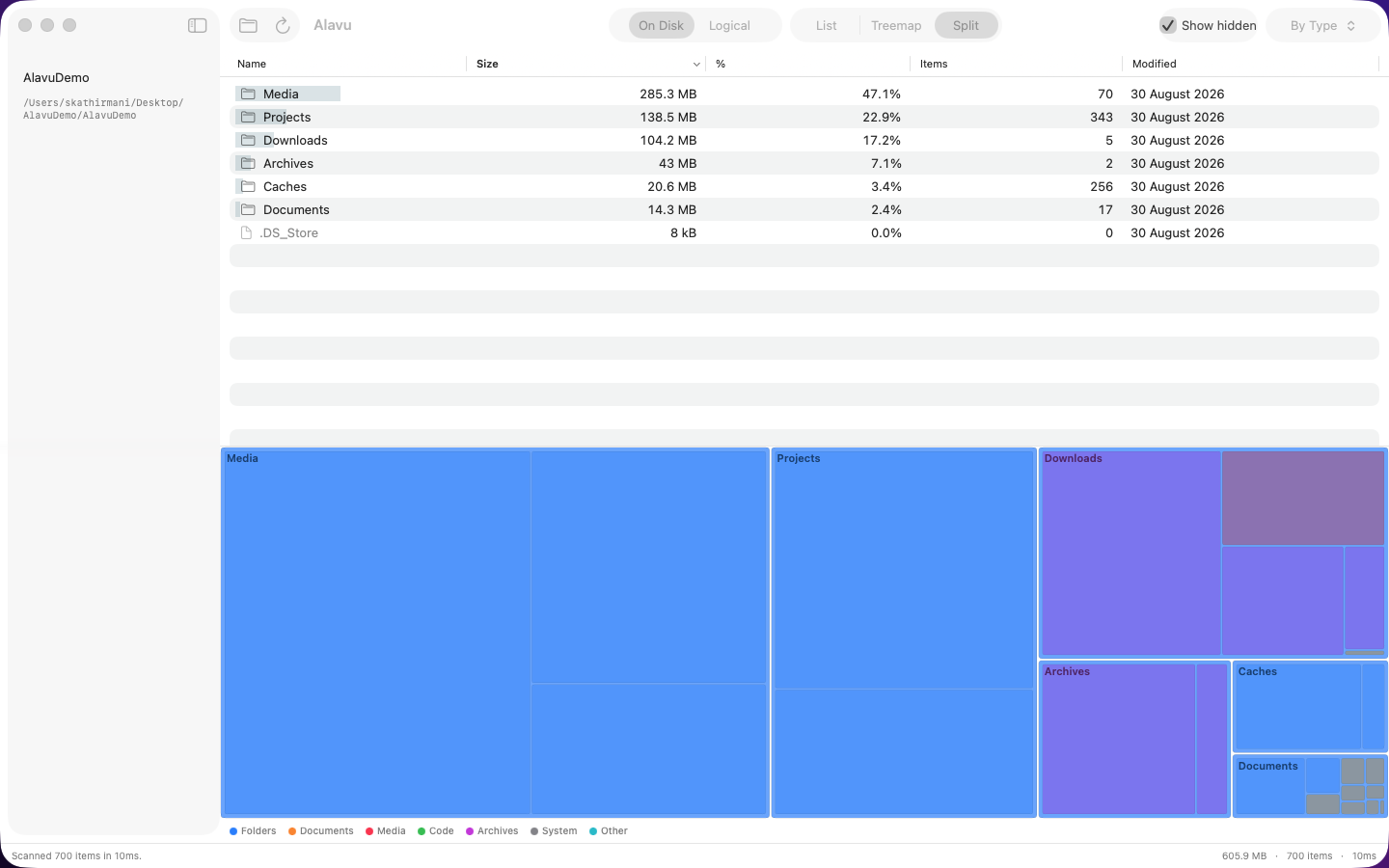
Alavu scans any folder or drive and puts the biggest things at the top, then draws the same contents as blocks sized to match. The one eating your drive is hard to miss.
What it does
Scans anything
Pick a folder, your home directory, or a whole drive. Alavu measures everything inside it, including the folders you'd never think to check.
Sorts by size
The list puts the largest items first, so the answer is usually on screen before you've scrolled.
Shows proportion
Below the list, the same contents are drawn as blocks scaled to their size. Knowing a folder is 14 GB is one thing. Seeing it take up half the panel is another.
Deletes in place
Right-click anything you no longer want and remove it without switching to Finder.
Stays on your Mac
No account, no analytics, no network connection. Alavu reads file sizes and nothing else — and it's free, with nothing to upgrade to.
Screens
Requirements
macOS 14 or later. Apple silicon and Intel.